I love to read, but honestly, some days it feels impossible. You know the feeling? After spending eight (or more!) hours staring at a computer screen for work, the last thing I want to do is look at another screen, even if it's just my Kindle. My eyes feel tired, dry, and sometimes even a little blurry. Figuring out how to enjoy reading again after a long day of staring at a screen became my mission.
For a long time, I just assumed I was too tired to read after work. But I realized it wasn't just fatigue; it was my eyes. They were overworked and under-cared for. I noticed that when I tried to read, I'd get headaches, my vision would blur, and I'd find myself re-reading the same lines over and over. It was frustrating!
I started paying closer attention to how I felt during and after work. I realized that the constant glare from the screen, the small font sizes, and the sheer amount of time I spent looking at it were all contributing to my eye strain. I knew I needed to find a solution if I wanted to keep enjoying my books.
I started experimenting with different strategies to ease my eye strain. Here's what I learned:
One of the simplest things I tried was just giving my eyes a break. Sometimes, when I got home from work, I would go into a darkened room, close my eyes, and just relax for 10-20 minutes. I'd listen to music or a podcast, anything to take my mind off things and let my eyes rest. This simple act made a surprising difference. It didn't solve everything, but it definitely helped.
I also learned about the 20/20/20 rule. The idea is that every 20 minutes, you should look at something 20 feet away for 20 seconds. It sounds simple, but it's surprisingly effective. I set a timer on my computer to remind me to take these short breaks throughout the day. It helps to refocus your eyes and prevent them from getting too strained.
Another thing I did was calibrate my computer screen. I adjusted the brightness and contrast to make it easier on my eyes. I also made sure the font size was large enough to read comfortably without squinting. This made a big difference in reducing eye strain throughout the day. I found that a warmer color temperature also helped.
I also noticed that reading physical books was much easier on my eyes than reading on a screen. There's something about the feel of paper and the lack of glare that makes reading more relaxing. I started making a conscious effort to read more "treebooks," as I like to call them, especially after a long day at work.
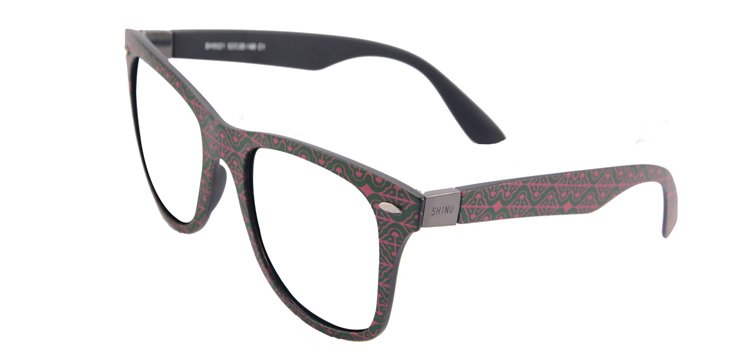
As I got older, I realized I needed some extra help. I started exploring reading glasses, and that's when I stumbled upon SHINU Brand progressive multifocal lens reading glasses. They are customized to my prescription and have an anti-radiation coating, which is fantastic considering how much time I spend in front of screens. It has a freeform lens as buyer prescription customized multifocal glasses A anti radiation-multi. They've been a game-changer. I can now read comfortably for longer periods without experiencing eye strain or headaches. It’s been a great experience using the product, and Mozaer has a great selection.
I was initially hesitant about progressive lenses, but I found that they really helped with the transition between looking at my book and looking around the room. I no longer have to constantly take my glasses on and off. And the anti-radiation coating gives me peace of mind knowing that I'm protecting my eyes from harmful blue light. I found them on Mozaer, which is a homepage that has a wide variety of glasses.